Applies to:
- AOs & BCs only
Each terminal which you operate in has its own set of drivers, vehicles, and work areas. We call this an Operation. You may have one or more entities to run your operations.
If you have more than one entity operation, you can "add" this to your PackageRoute account. You can then swipe between all your operations to manage them. All work areas, drivers and vehicles automatically switch to your entity operation being currently viewed through the App.
You can Add an operation only from the WebApp. You can access this via the Account button on our website. Use your PackageRoute account to log in.
- Log into your account on the WebApp using your FedEx ID and password to login. Then navigate to Settings to Add Additional ISP Account.
All your operations are discovered by PackageRoute automatically. You are presented a list of the operations. If for some reason you do not see your entity operation in the discovery list, you may be able to add your operation manually. Click Add Operation Manually to proceed
-
Follow the prompts to complete signup. PackageRoute will automatically discover all your add Drivers, Vehicles and Work Areas for this operation.
Even after signup, PackageRoute continually discovers any new routes, drivers or vehicles in your operation and notifies you.
-
On your phone, restart PackageRoute App. Open the App menu. You should see the text "swipe through operations"
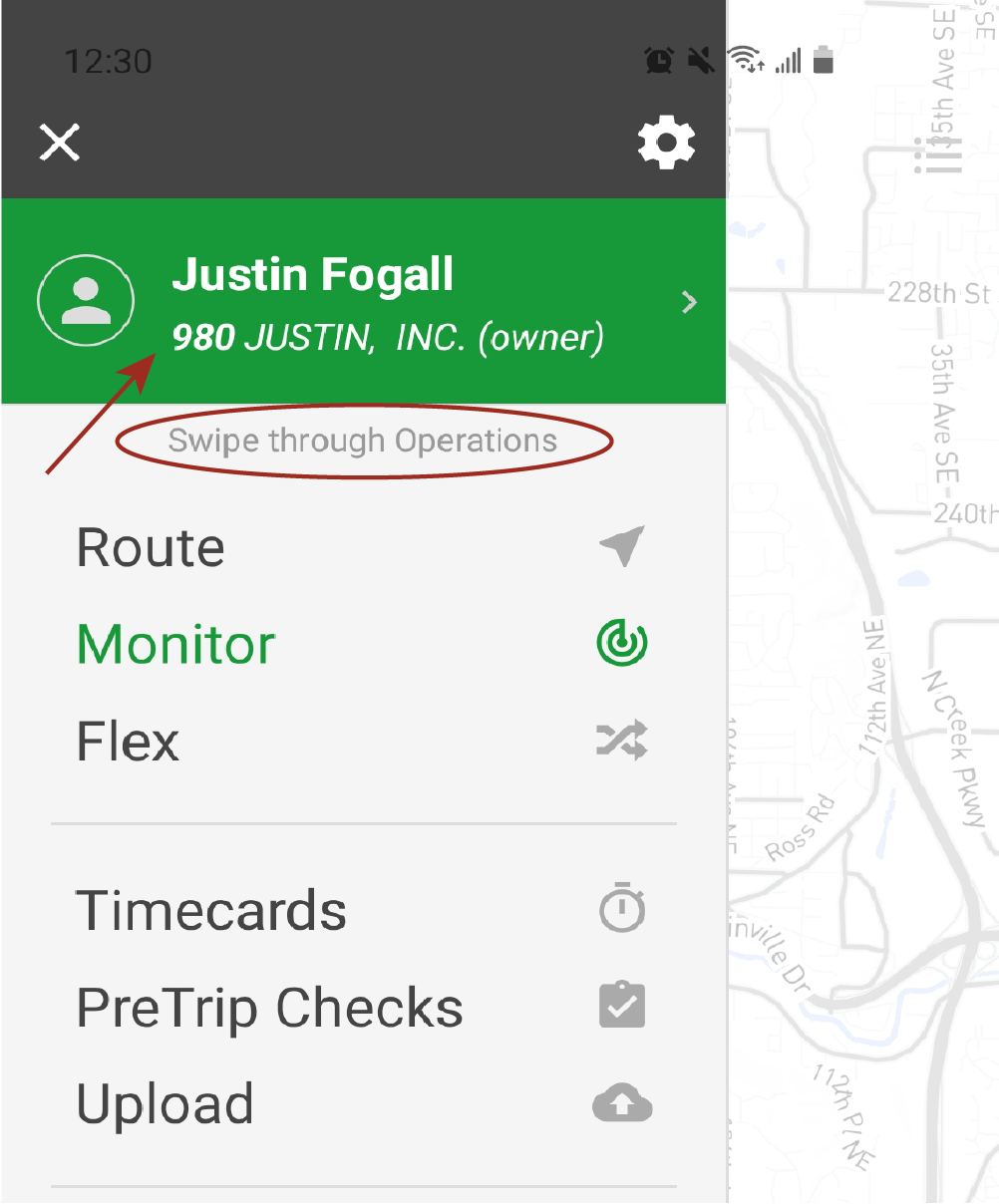
Your station ID associated with your entity operation is shown on the menu
-
Swipe left or right (on the green menu) to swap to your next or previous entity in your 'operations list'. The current active operation is the one with the green background. Tap the operation to make it 'currently active'. All route data including your settings in the App switch to this operation. Only one operation can be currently active.
Here are all the steps in action: